
How to add a member and use coupons in the Diller Control Panel?
Edited
With administrator account:
On the home section simply type in the phone number and click on add member

Coupon usage in the control panel
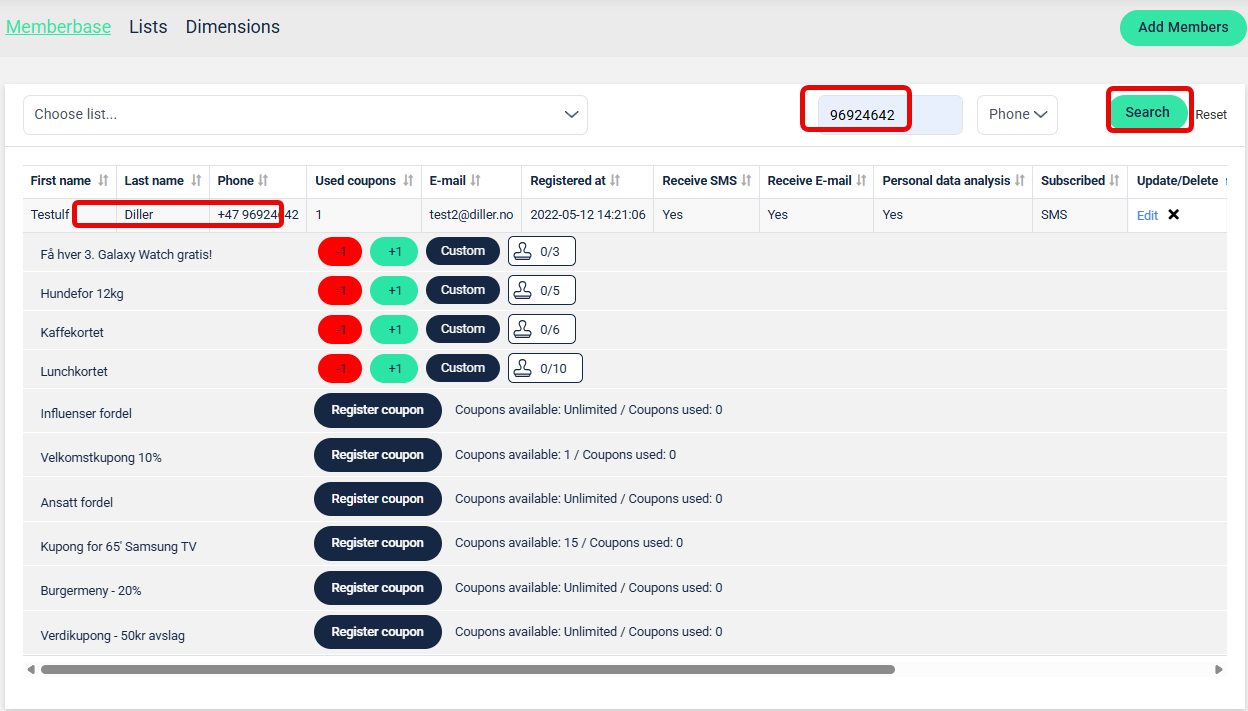
Go to members
Search for the member
Tap the line with the member you searched for
You will now see which coupons and coupons this customer has access to.
Tap +1 to add stamp usage, or tap Register coupon to use the coupon.
Add members
Use stamp cards
Use coupon