
How do you complete the registration for the customer?
Step 1 | Register the customer via the checkout or control panel
If the customer cannot complete the registration themselves, you can do it for them. First, register the customer via the checkout or via the control panel.
Go to "Control Panel" in the left menu, enter the customer's number and click "Add member".
Step 2 | When the customer is registered you can complete the registration
Go to Members -> Searh for the member number for whom you want to complete the registration.
Click "Edit" all the way to the right in this member's row.
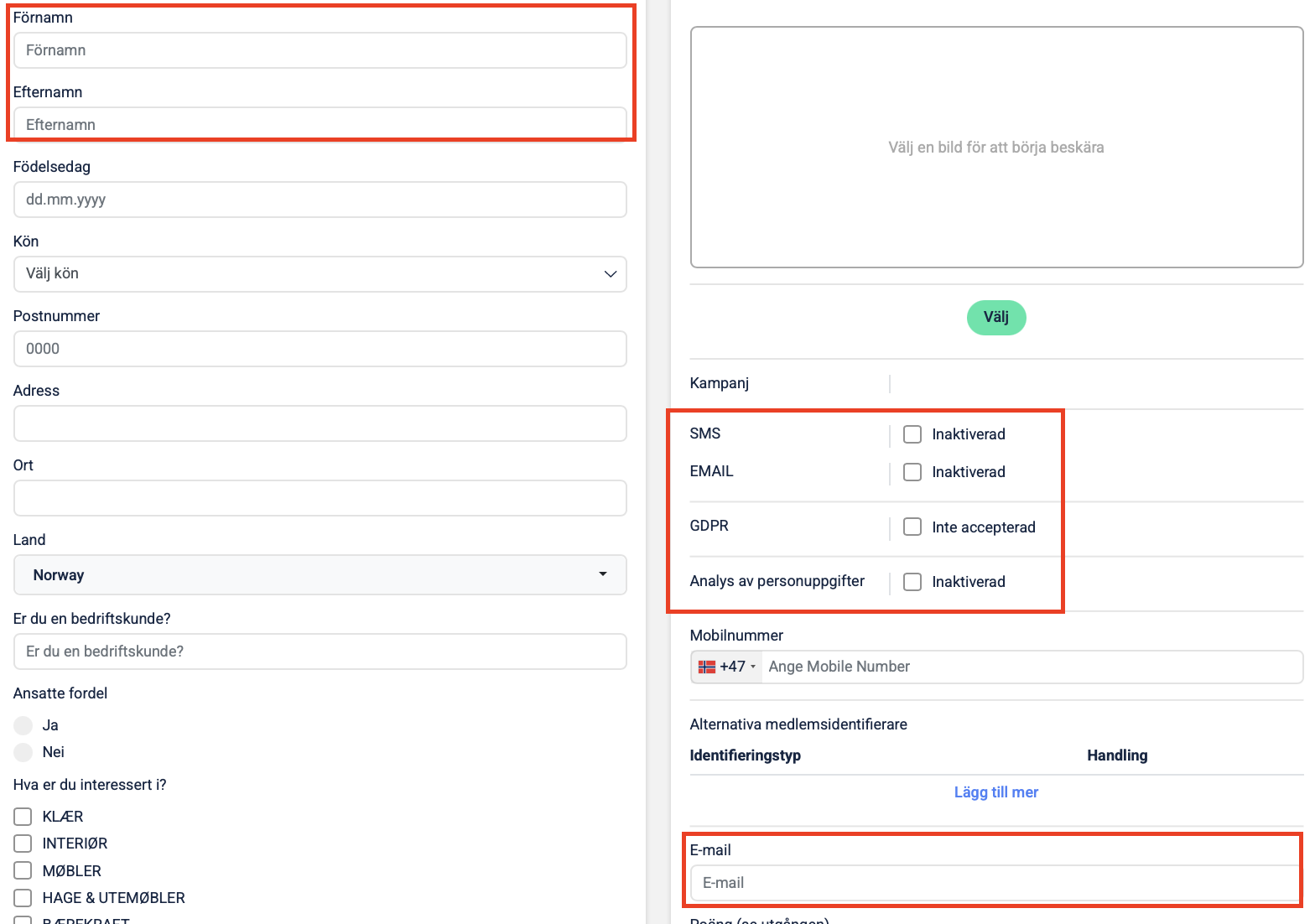
You must then fill in:First name
Last name
Email address (If the customer does not have / uses email, you can enter a fake address - e.g. the customer's mobile number + @store-name.se. If you do this, it is important that you DO NOT check the email consent - leave the box empty)
You must also indicate consents:
Rembmer to ask the customer of what they consent to!
SMS (the customer may receive SMS for marketing)
Email (the customer may receive email for marketing)
GDPR (General consent - this must be on to participate)
Analytics (Consent to receive personalized offers based on purchase history)
When this is done, click the "Save profile" button (there is a button both at the top right and at the bottom right).