Support Portal (EN)
Requests
Go to diller.io
Contact us
Find answers to your questions
Results
No results found
More results
We use cookies to analyze website traffic and help improve our visitor experience.
Privacy Policy
Reject
Accept
In this article
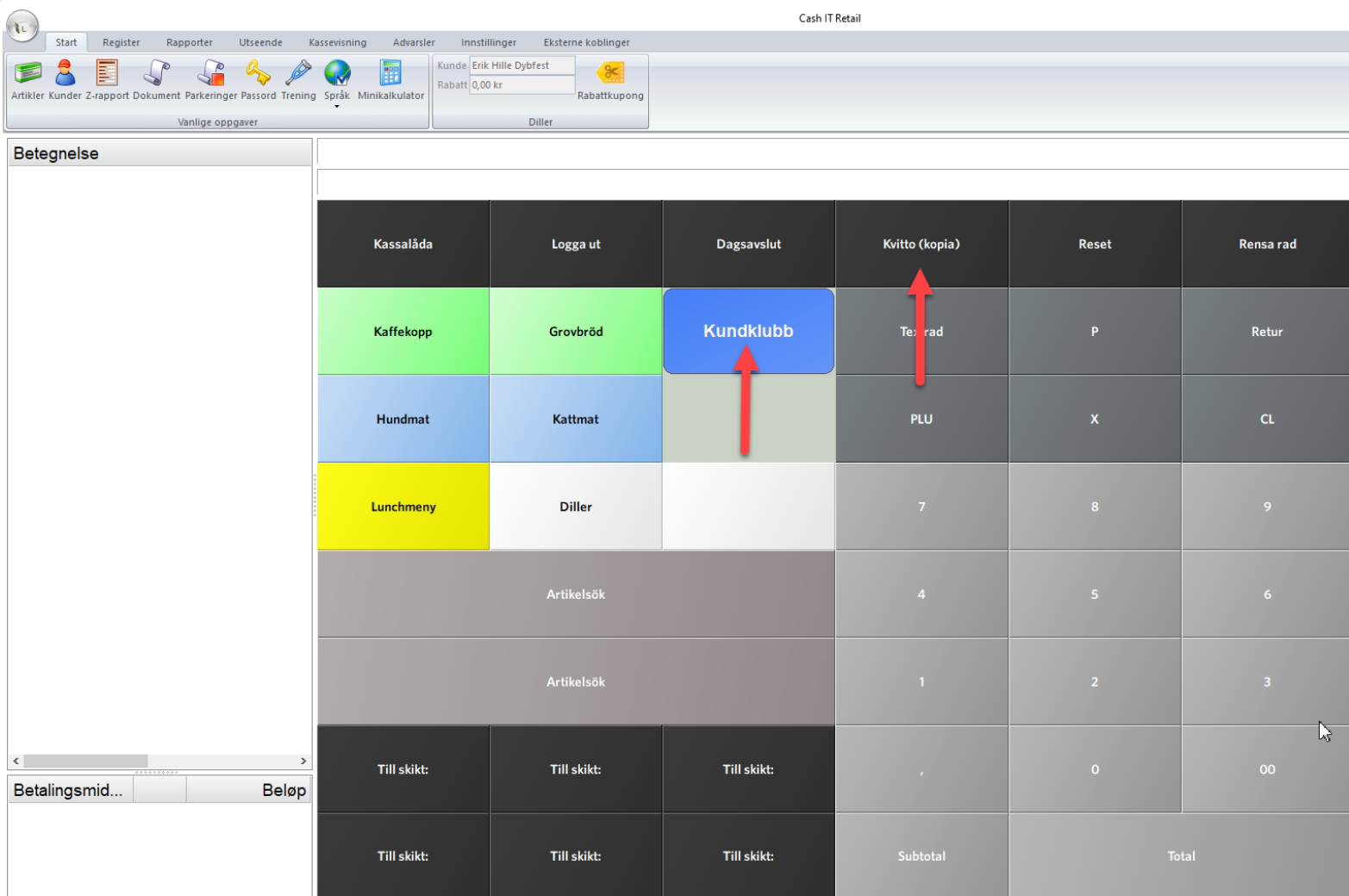
Step 1 - Find the customer
Step 2 - Find the receipt
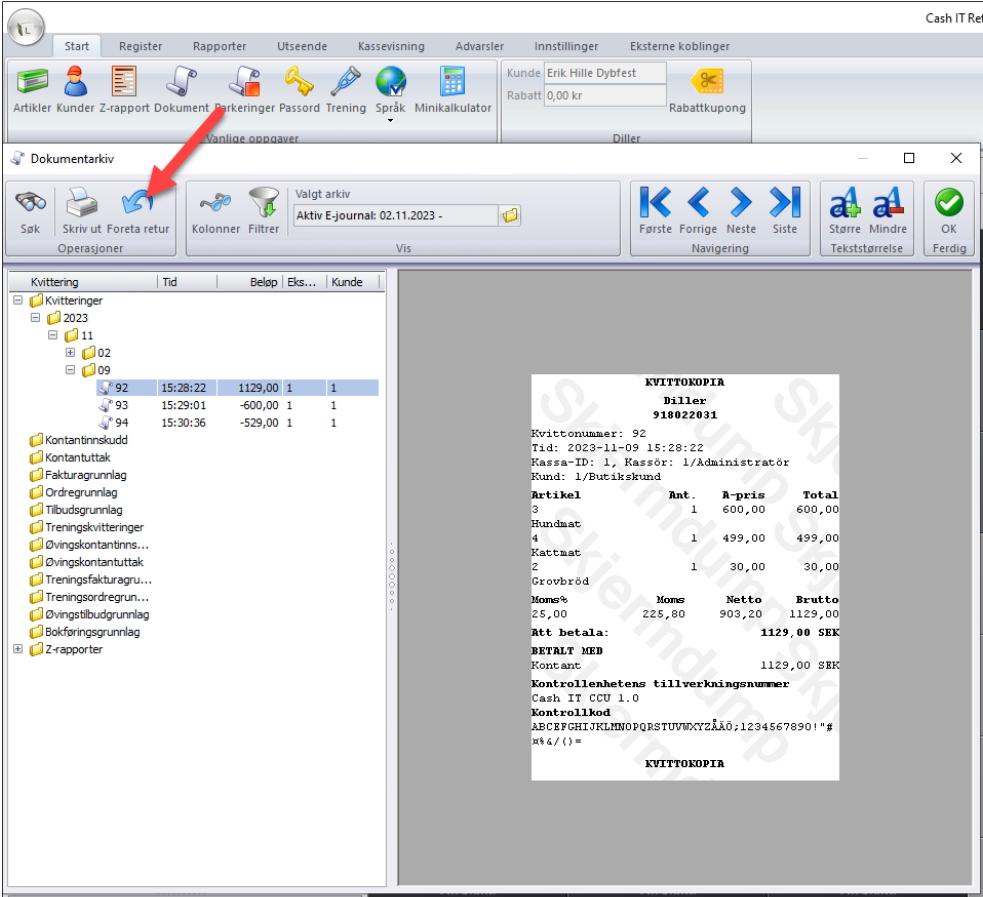
Step 3 - Select "Perform Return" from the receipt menu
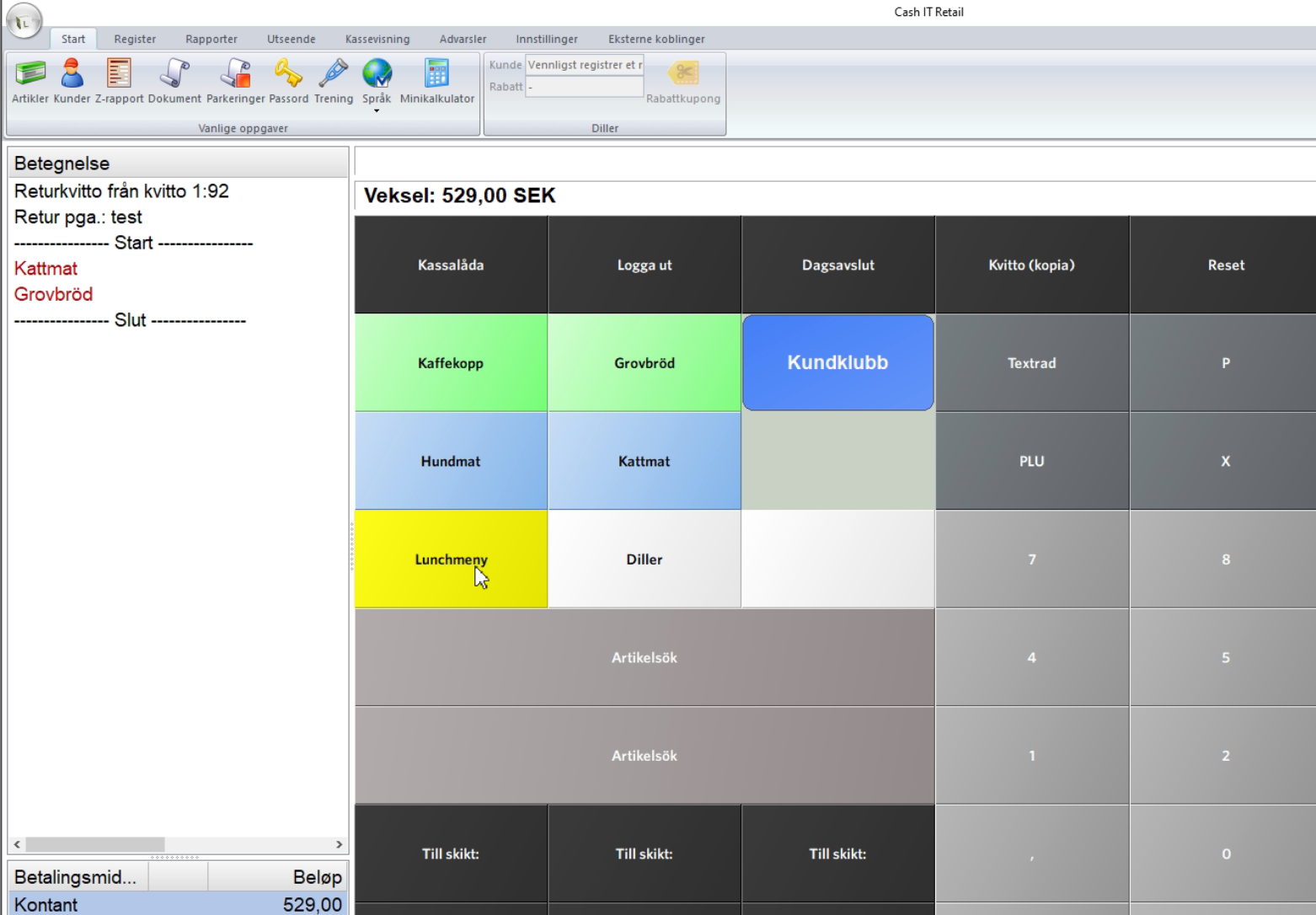
Step 4 - Remove items that SHOULD NOT be returned (split return)
Step 5 - Complete
Home
Technical
POS Integrations
Cash-IT
Register Return for a Customer (who accumulates negative points)
Edited
Friday, February 20 2026
Step 1 - Find the customer
Step 2 - Find the receipt
Step 3 - Select "Perform Return" from the receipt menu
Step 4 - Remove items that SHOULD NOT be returned (split return)
Step 5 - Complete
Cash-IT
Return