
Activate Vipps enrollment and login with Diller
Edited
Log in portal.vipps.no
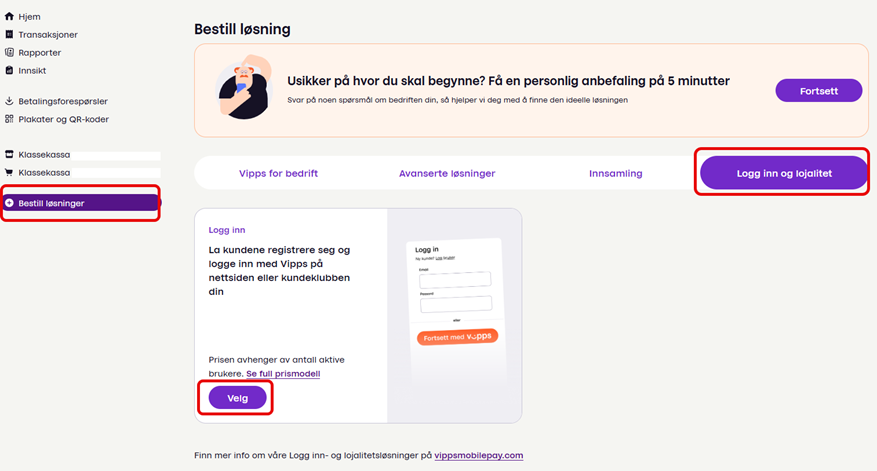
Click on Order solutions
Go to the tab “Log in and loyalty”
Click on “Choose”
Setting up the solution
Choose “We will use an official partner”
Search for Diller AS
Select “We will use in a partner solution that is not part of a website/app”
How you will appear in the Vipps app
Enter the name of your company
Add a logo
Click on “Order solution”
Diller will now be notified that you are ready and we can connect you with our solution
Vipps activate