
How to Connect Your Shoplabs Store to Diller?
Edited
Activate the cash register
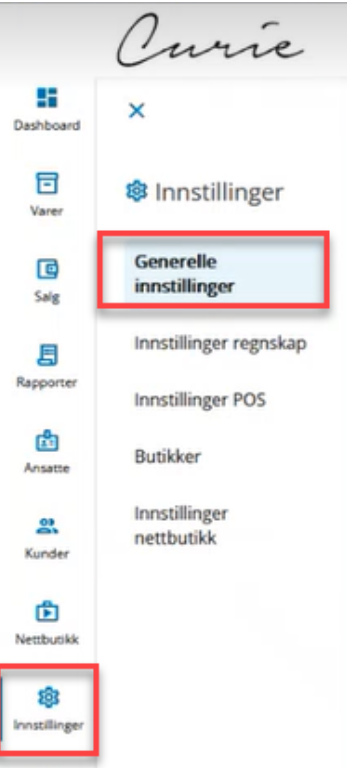
Go to "Settings" in the Shoplabs backoffice
Go to "General settings"
Enter the "Client ID" and "Client Secret" that you get from Diller
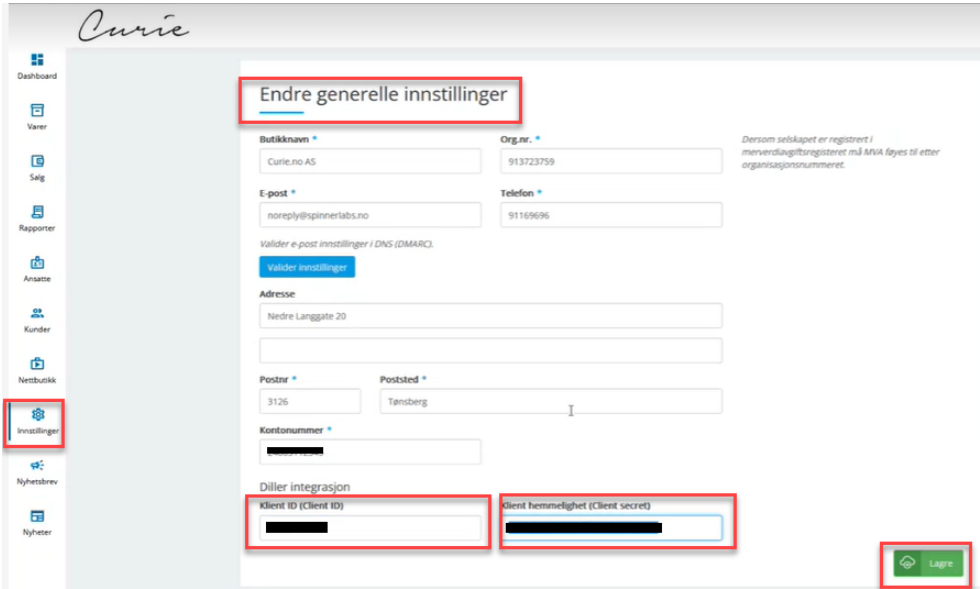
Click Save
Add / Activate online store
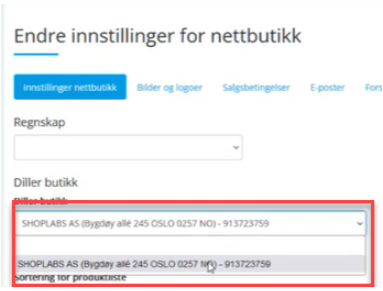
Go to "Settings" --> "Store Settings"
Select Department for Online Store in the drop-down menu (it must be created in Diller first)
Add Department_ID for physical store (activate the department)
Go to "Settings" --> "Stores"
Find the department you want to activate and click Edit on this one
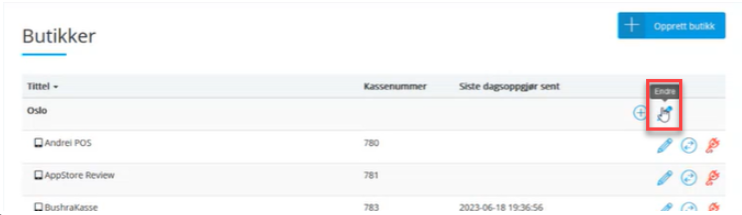
Choose the correct department in the dropdown menu under Diller store (must be created in Diller first)
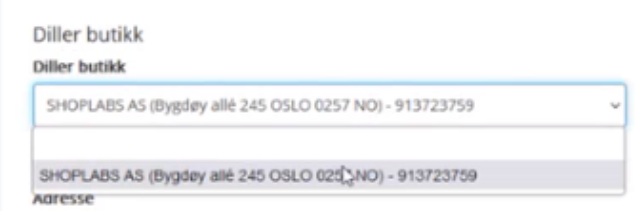
Repeat if you have more departments, or finish.
Using product_id on coupon
Should be usable, but you pull out what is called the Item Number in Shoplabs
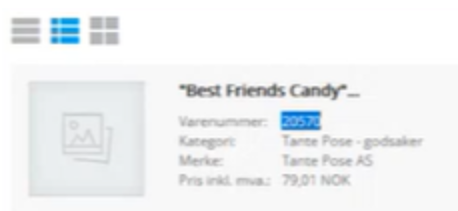
NB! Discount coupons will also apply to product variants (different sizes and colors)
Shoplabs
Connect store to diller