MarketingPlatform: Setting up SPF/DKIM
If your domain is not configured correctly, you will see the following error message on the MarketingPlatform dashboard:
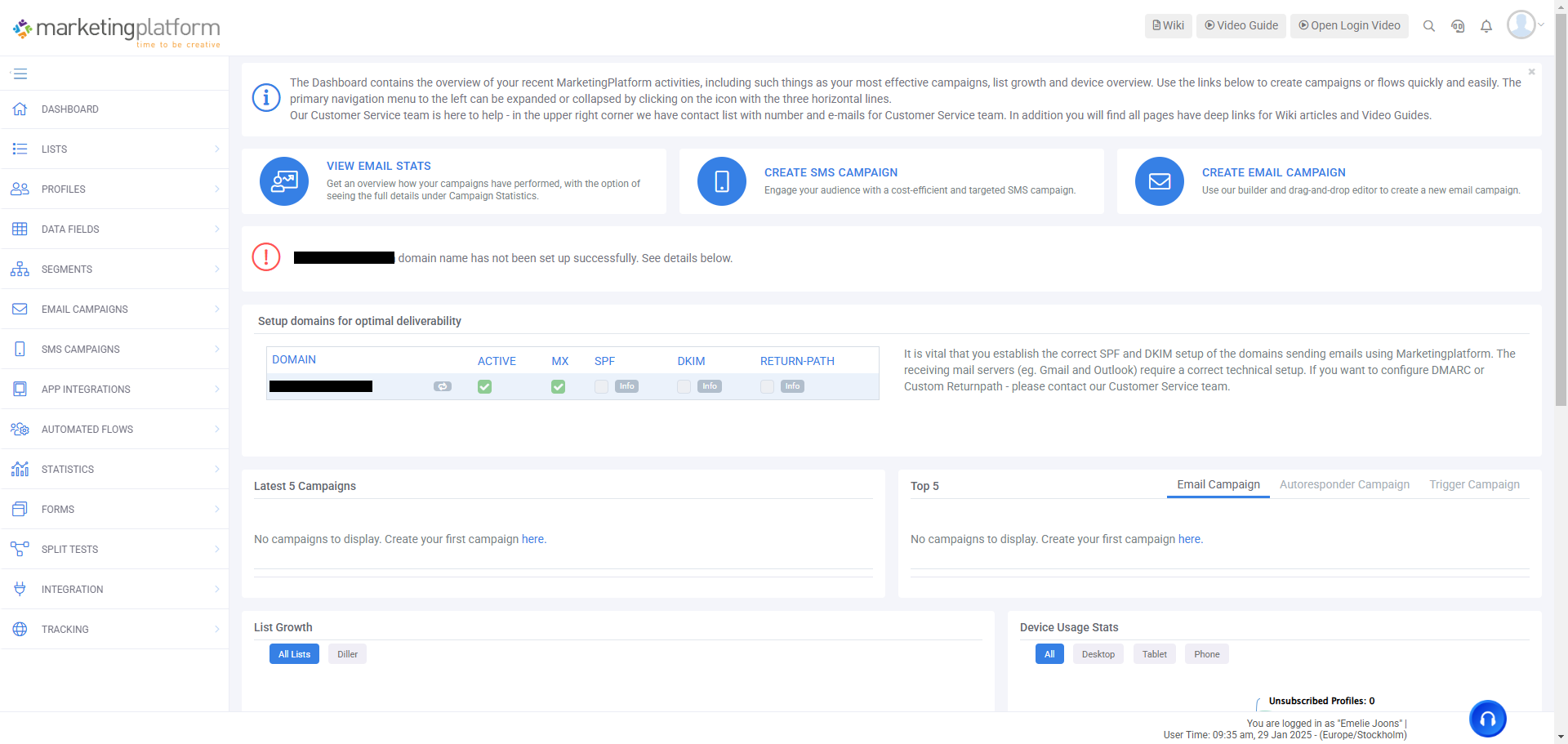
MarketingPlatform checks four critical settings for your domain: Active, MX, SPF and DKIM. These must be configured correctly for you to be able to send emails without issues.
What is checked?
Active: Confirms that the domain is active and exists.
MX: Checks that the domain has a functioning mail server.
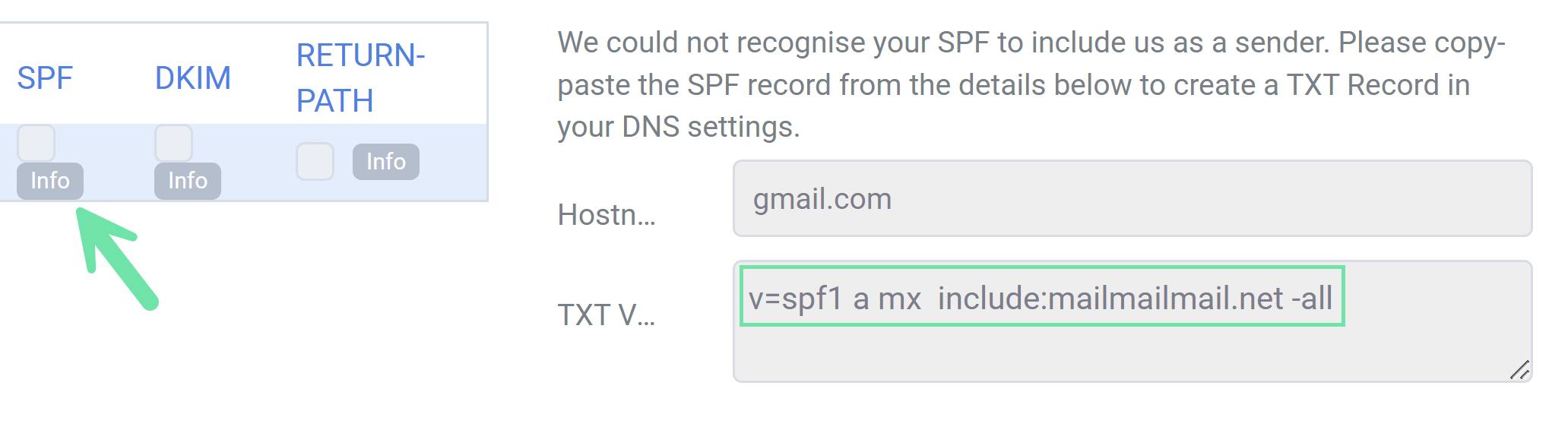
SPF: Defines which mail servers are allowed to send mail from your domain. Note! Make sure your SPF record includes MarketingPlatform (include:mailmailmail.net).
DKIM: Ensures that your emails are authenticated and not seen as spoofed.
Setting up SPF
The SPF record specifies which systems are authorized to send emails from your domain. If SPF is not configured, or MarketingPlatform is not included, you will receive an error.
How to set it up:
Click the "info" button in MarketingPlatform to view your SPF record.
Log in to the DNS management for your domain.
Check if an SPF record already exists. If not, create a new TXT record.
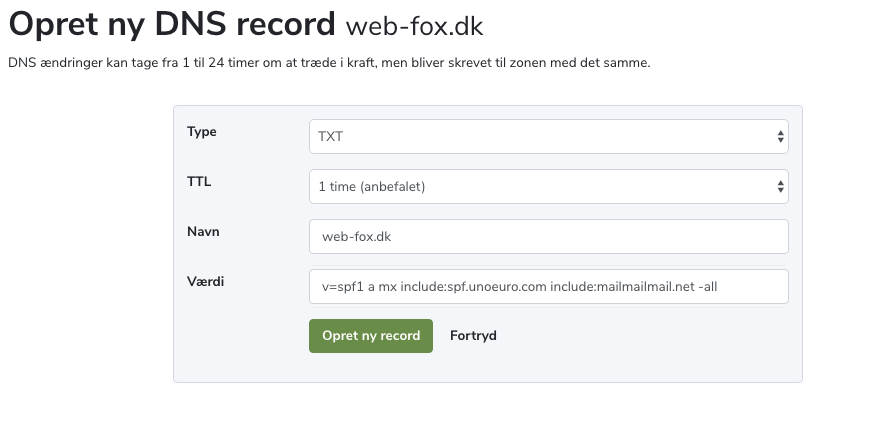
Use an SPF value similar to this example:
“v=spf1 a mx include:spf.unoeuro.com include:mailmailmail.net -all
Changes can take up to 24 hours to propagate.
Setting up DKIM
DKIM ensures that your emails are authenticated and not marked as spam. If DKIM is not set up for MarketingPlatform, you will receive an error.
How to set it up:
Click the "info" button in MarketingPlatform to generate a DKIM value for your domain.
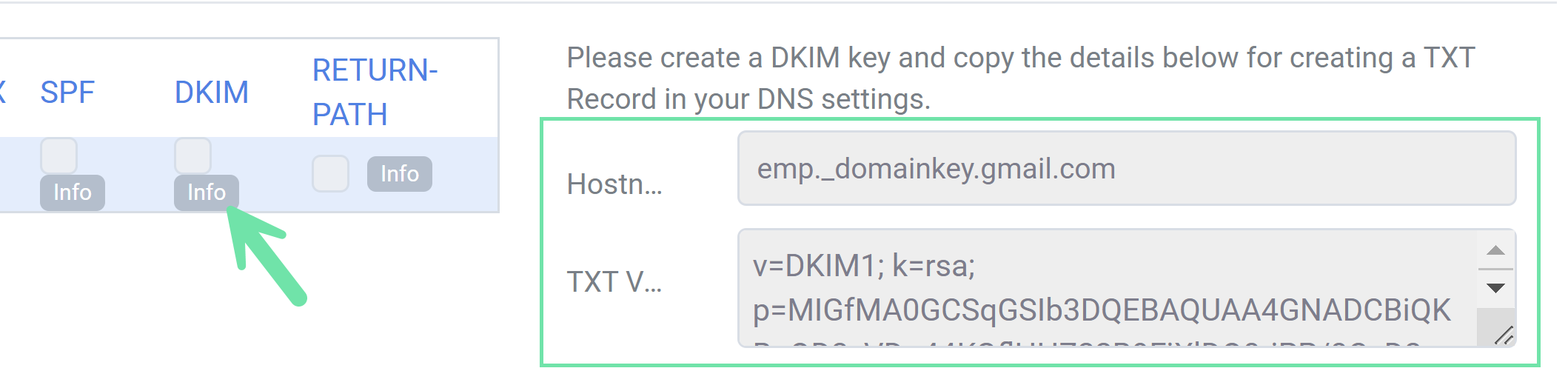
Log in to the DNS management for your domain.
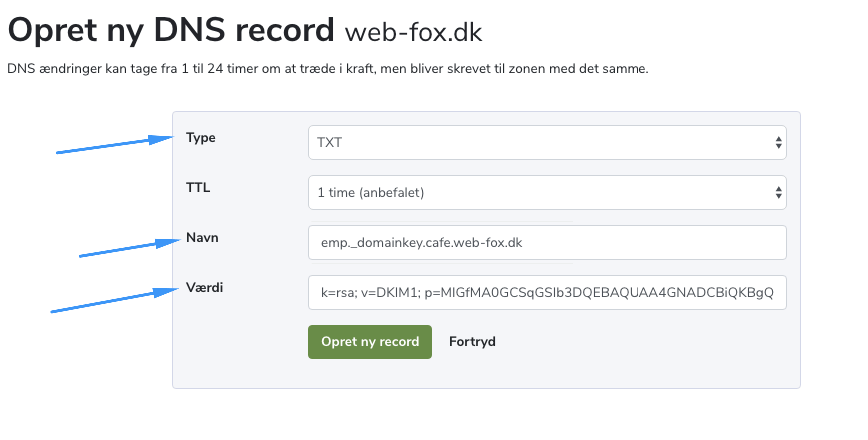
Create a TXT record with the DKIM value.