
How to Save Permalinks to Fix Coupon/Customer Club Pages That Aren't Displaying
Edited
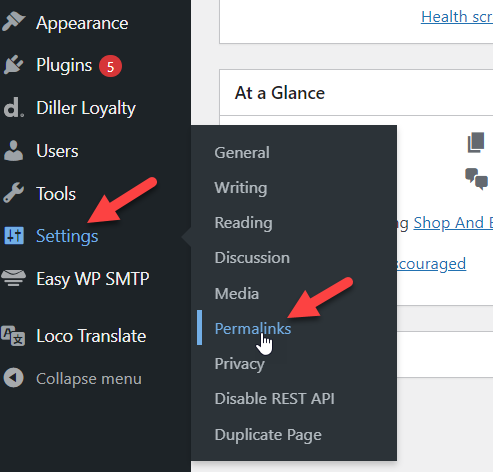
Log in as WP Administrator, go to Settings/innstillinger and choose Permalinks:
You don’t need to change anything – just scroll down until you find the Save button and click.
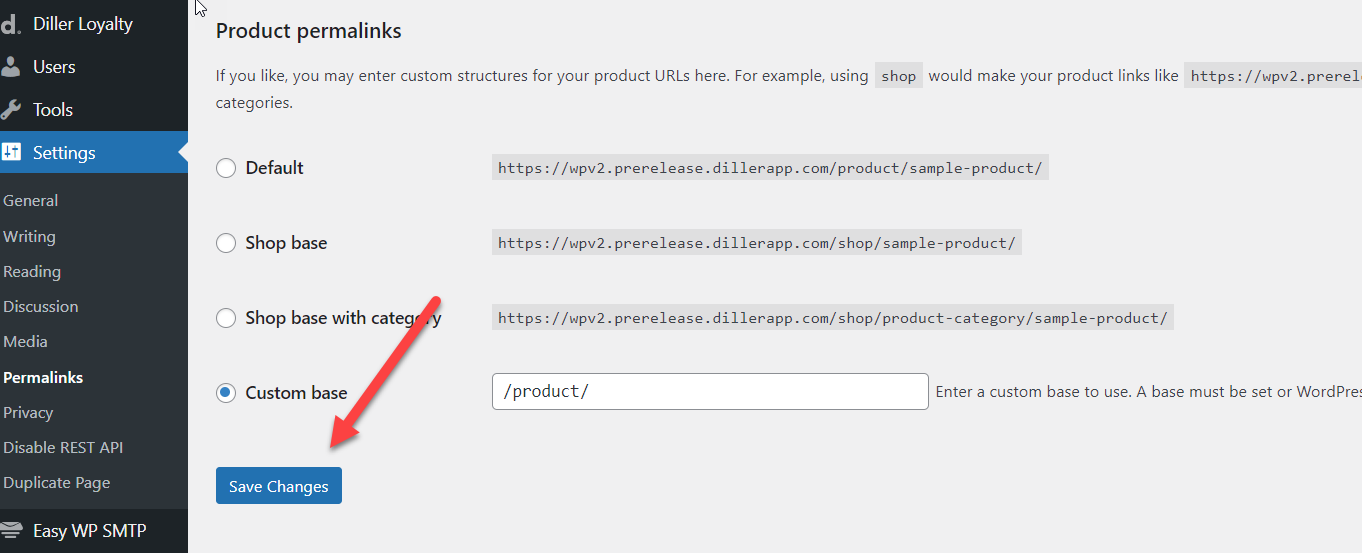
Permalinks will then be set correctly and coupon/customer club pages should appear as normal.
Note:
This is often caused by third-party plugins, but it can be hard to determine which. So if the problem occurs frequently, the best solution is to set up a job that automatically saves the permalinks at regular intervals.
woocomerce
permalinks